Xcode 27 and the iOS 27 SDK requirement: how to prepare for April 2027
Apple requires a new Xcode and SDK every spring. What the expected April 2027 iOS 27 SDK rule means, the iOS 13 minimum already in force and how to prepare now.
· 4 menit baca
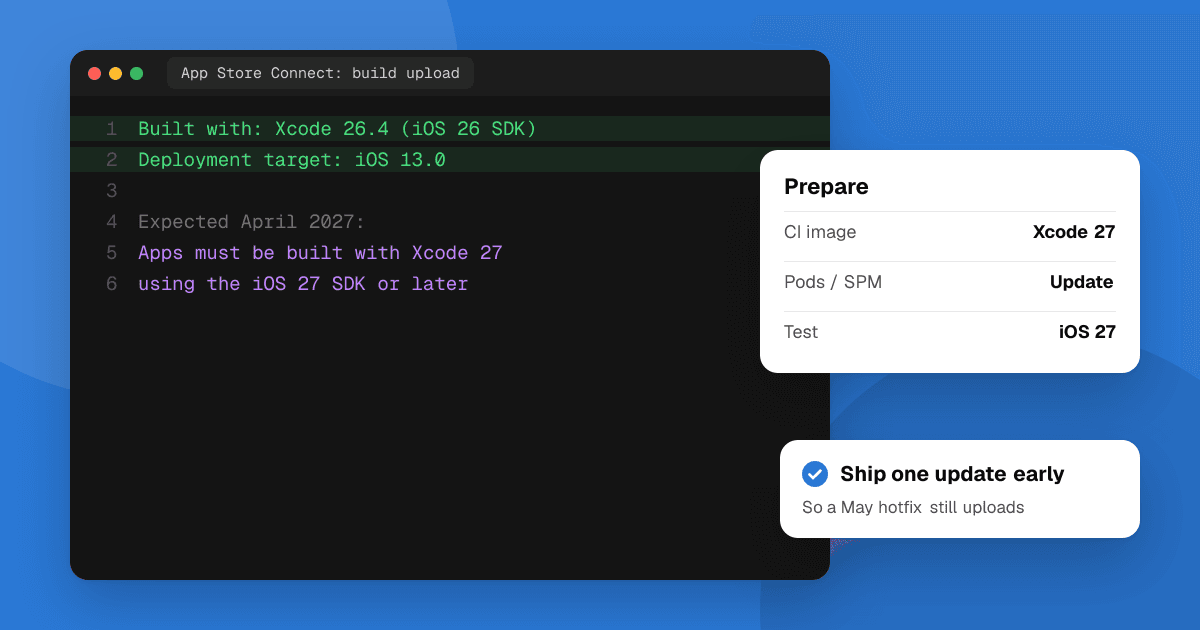
Short answer: every spring Apple requires App Store uploads to be built with the Xcode and SDK released the previous autumn. Since April 28, 2026, uploads must use Xcode 26 and the iOS 26 SDK (or the matching iPadOS, tvOS, visionOS or watchOS 26 SDK). Following that pattern, expect Xcode 27 and the iOS 27 SDK to become required around late April 2027. Apple hasn't put the 2027 date on its Upcoming Requirements page yet (as of November 2026), so treat it as a plan, not a confirmed date. One rule is already in force: since September 9, 2026, iOS and iPadOS uploads must target iOS 13 or later.
What does the SDK requirement mean?
It controls which tools you build with, not which devices your app supports. An app built with the iOS 27 SDK can still run on older iOS versions, down to your deployment target. What changes is that App Store Connect rejects uploads built with an older Xcode once the date passes.
Apps already on the App Store stay there. The requirement hits your next update: if a critical bug fix is built with last year's Xcode after the cutoff, the upload is refused. That's why it's worth moving early.
When will Xcode 27 be required?
Apple has followed the same rhythm for years:
| Requirement | In force since |
|---|---|
| Xcode 14.1 and the iOS 16.1 SDK | April 25, 2023 |
| Xcode 15 and the iOS 17 SDK | April 29, 2024 |
| Xcode 16 and the iOS 18 SDK | April 24, 2025 |
| Xcode 26 and the iOS 26 SDK | April 28, 2026 |
| Xcode 27 and the iOS 27 SDK | Expected late April 2027 (not yet announced) |
Apple usually announces the date in its developer news a few months ahead. Several developer blogs already describe it as April 2027, but check Apple's page before you plan around an exact day.
What is the iOS 13 minimum deployment target rule?
Since September 9, 2026, Apple's page says "iOS and iPadOS apps uploaded to App Store Connect must target iOS 13 or later". If your project still sets a deployment target of iOS 12 or lower, raise it in Xcode under Build Settings → iOS Deployment Target, and check that every pod, Swift package and framework allows it too. Some developer sites report the floor rising further in 2027; Apple hasn't confirmed that, so don't drop users you don't need to.
How do I prepare for Xcode 27?
- Build your app with the current Xcode 27 release as soon as it's out, even if you keep shipping with Xcode 26 for now. Fix new warnings and deprecations while there's no deadline pressure.
- Update your Mac and CI. New Xcode versions usually need a recent macOS. Check that your CI provider offers an Xcode 27 image, and that your build scripts don't hard-code an old Xcode path.
- Update dependencies. Old pods, Swift packages and closed-source SDKs (ads, analytics, crash reporting) are the usual blockers. Check each one's release notes for Xcode 27 support.
- Test on the new iOS. Building with a new SDK can switch on new system behavior. Run your test plan on iOS 27 devices and the simulator, then send a build to TestFlight testers.
- Ship one update with Xcode 27 before the cutoff, so you know an emergency fix in May will go through.
What about Flutter, React Native, Unity and Expo?
Cross-platform apps are built with Xcode in the end, so the same rule applies:
- Flutter: update Flutter and your plugins to versions that support Xcode 27, then run
flutter build ioson a Mac with Xcode 27. - React Native and Expo: update to an SDK or React Native version that lists Xcode 27 support, then refresh your pods. With Expo's cloud builds, pick a build image that uses Xcode 27.
- Unity and Unreal: use an engine version that supports Xcode 27, regenerate the Xcode project and build it with Xcode 27.
Which other App Store rules are in force?
While you're updating, check the App Store age rating questions (new Shared Location and Dating questions are due January 12, 2027), keep your privacy details accurate, and read the most common App Review rejections before you submit.
Next steps
Install Xcode 27, build your app this week and write down what breaks. Fixing it now costs an afternoon; fixing it the week of the deadline costs a missed release. When the new build is out, list it on TrueLaunch to get testers and honest feedback on iOS 27.
Frequently asked questions
When will Xcode 27 be required for App Store uploads?
Apple hasn't announced the date yet. It has required the new Xcode each April (Xcode 26 since April 28, 2026), so expect Xcode 27 and the iOS 27 SDK to be required around late April 2027.
Do apps already on the App Store need to be rebuilt?
No. Existing apps stay on the store. The requirement applies to new uploads, so your next update after the cutoff must be built with the required Xcode and SDK.
Does building with the iOS 27 SDK drop support for older iPhones?
No. The SDK is what you build with; the deployment target decides the oldest iOS version your app supports. Since September 9, 2026, that target must be iOS 13 or later.
What is the current App Store SDK requirement?
Since April 28, 2026, apps uploaded to App Store Connect must be built with Xcode 26 or later using the iOS 26, iPadOS 26, tvOS 26, visionOS 26 or watchOS 26 SDK.