What is Google Play Console? Developer account, cost and what's inside
Google Play Console is where you publish and manage Android apps. What it costs, personal vs organization accounts, sign-in, every main section and the API.
· 4 menit baca
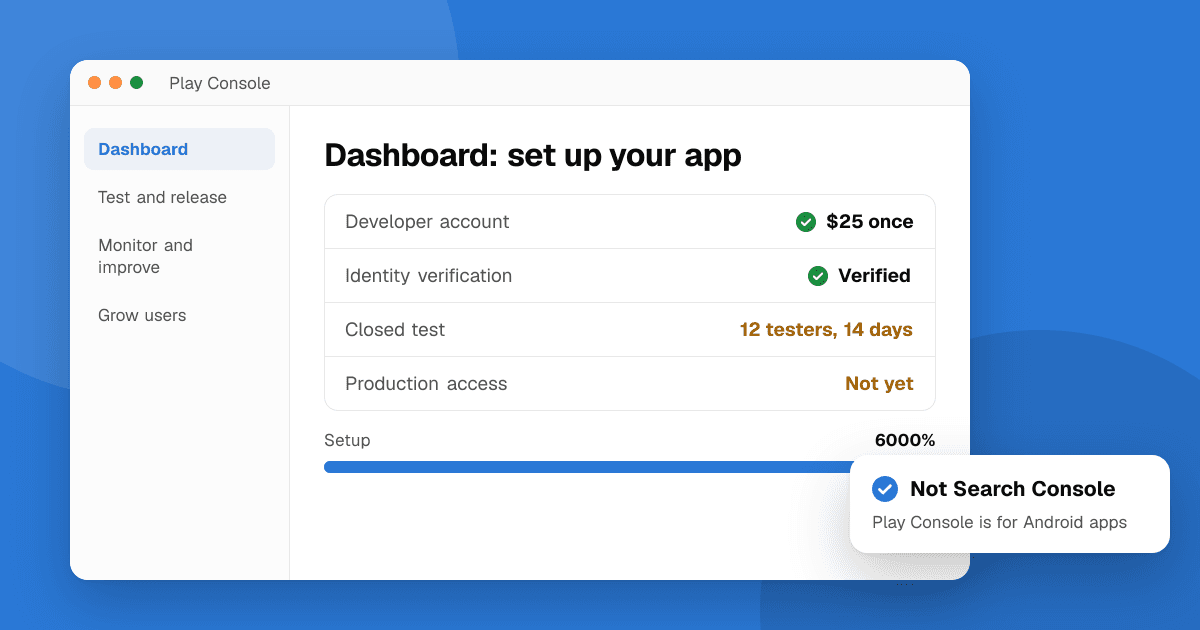
Short answer: Google Play Console is Google's free website for developers to publish Android apps and games on Google Play and manage them afterwards: releases, testing, the store listing, policy forms, statistics, reviews and payments. You get access by creating a Google Play developer account, which costs a one-time $25 fee and requires identity verification. You sign in at play.google.com/console with the Google account that owns or was invited to the developer account.
What is Google Play Console used for?
Everything between "the app is built" and "people are using it":
- Publishing: upload app bundles, create releases and roll them out.
- Testing: run internal, closed and open tests before production.
- The store listing: name, descriptions, icon, screenshots and video, in every language you support.
- Policy: content rating, data safety, target audience, ads, permissions and other declarations.
- Growth and quality: install statistics, Android vitals (crashes and ANRs), store listing experiments and user reviews.
- Money: prices, in-app products, subscriptions and payouts through a payments profile.
It's not the same as Google Search Console, which shows how a website performs in Google Search. Many people mix them up because the names are close.
How much does a Google Play developer account cost?
A one-time registration fee of $25. There's no yearly fee, unlike Apple's $99 a year (see Google Play and App Store fees explained). Google keeps a service fee on paid apps and in-app purchases, which starts at 15% for most developers' first $1 million a year and for subscriptions.
Should I create a personal or an organization account?
- Personal account: for individuals. You verify your identity with an ID, and your name is shown to users. New personal accounts must run a closed test with 12 testers for 14 days before they can apply for production access.
- Organization account: for registered businesses. You need a D-U-N-S number and business verification, and the 12-tester rule doesn't apply.
Every account also has to declare its trader status, and Android is adding developer verification for apps installed outside Google Play.
How do I create a developer account?
- Sign in at play.google.com/console with the Google account you'll use long-term (a shared business account is better than a personal Gmail you might lose).
- Choose personal or organization, and accept the developer agreement.
- Pay the $25 fee and fill in your developer profile.
- Verify your identity (and your organization, if you chose one). This can take from a few hours to several days.
- Verify a contact email address and phone number.
Then follow how to publish your first app on Google Play for the full walkthrough.
What are the main sections of Play Console?
When you open an app, the left menu groups everything:
| Section | What you do there |
|---|---|
| Dashboard | Your to-do list for setup, plus key numbers |
| Test and release | Production, testing tracks, app bundle explorer, pre-launch report, and App content (policy forms) |
| Monitor and improve | Statistics, Android vitals, policy status, ratings and reviews |
| Grow users | Store presence (main listing, custom store listings, experiments), deep links, promotional content |
| Monetize with Play | In-app products, subscriptions, pricing |
Section names change now and then, but the structure stays close to this. At the account level you'll find Users and permissions (invite teammates with limited access), the Inbox with policy notices, and the Payments profile.
What is the Google Play Console API?
The Google Play Developer API lets you do from code what you'd otherwise click in Play Console: upload builds, publish to tracks, update listings, manage in-app products and subscriptions, and reply to reviews. You connect it through a Google Cloud service account that you invite in Play Console's Users and permissions. Most developers use it through tools like fastlane or a CI pipeline (GitHub Actions, Codemagic, Bitrise) rather than calling it directly.
How do I get more out of Play Console?
- Check Policy status and the Inbox every week: missed deadlines are the most common reason for blocked updates.
- Watch Android vitals: high crash or ANR rates can reduce your visibility in Google Play.
- Use custom store listings to show different screenshots to different countries (how custom listings work).
- Give teammates only the permissions they need instead of sharing one login.
Next steps
Once your account is ready and your first test is running, list your app on TrueLaunch. You can paste your Google Play link, and real people can try the app and give you structured feedback while you wait for production access.
Frequently asked questions
Is Google Play Console free?
Using Play Console is free, but you need a Google Play developer account to publish, which has a one-time $25 registration fee. There is no yearly fee.
How do I log in to Google Play Console?
Go to play.google.com/console and sign in with the Google account that owns the developer account or was invited to it in Users and permissions.
What is the difference between Google Play Console and Google Search Console?
Google Play Console is for publishing and managing Android apps on Google Play. Google Search Console is for seeing how a website appears and performs in Google Search.
Do organization accounts need 12 testers?
No. The rule of a closed test with 12 testers for 14 days applies to new personal developer accounts. Organization accounts need a D-U-N-S number and business verification instead.