Google Play location permission policy: what changes on January 27, 2027
From January 27, 2027, Google Play requires minimum-scope location and a declaration for precise location. Who must file, the location button and how to comply.
· 5 मिनट में पढ़ें
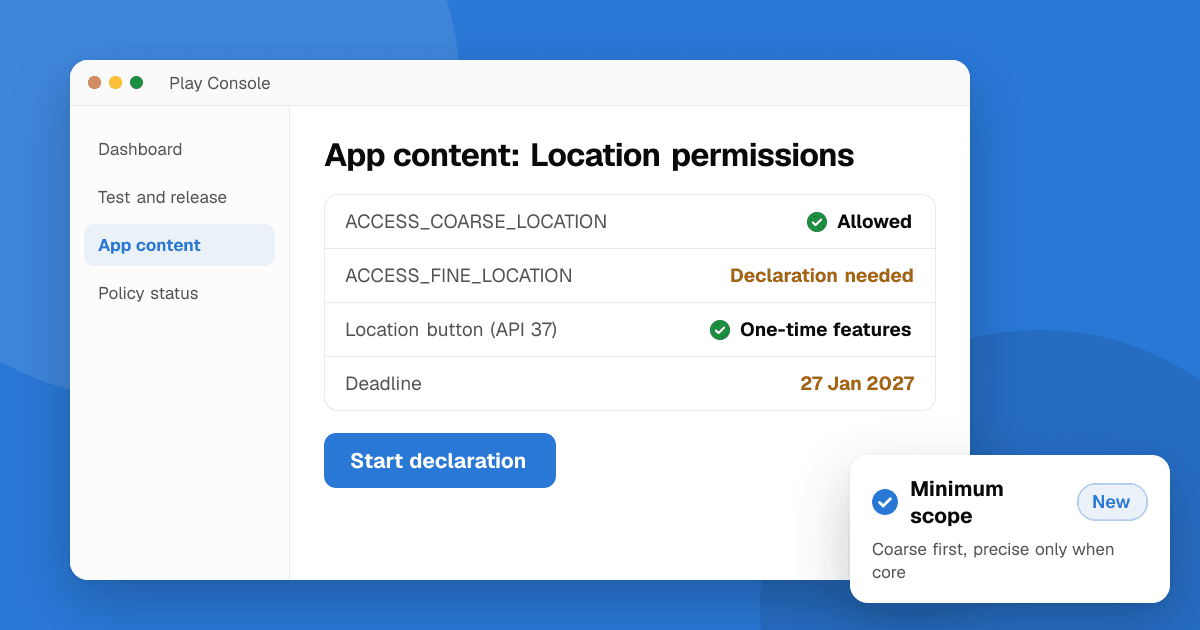
Short answer: from January 27, 2027, every app on Google Play must request the minimum location scope its core features need. In practice: use coarse location when you don't need an exact position, use the new Android location button for one-time precise location in apps targeting Android 17 (API level 37) or higher, and fill in a Play Console declaration if your app requests precise location (ACCESS_FINE_LOCATION). Play Console offers a 30-day self-extension if you need more time.
This guide follows Google's policy announcement of October 29, 2026 and its minimum scope location article as of November 2026. Check Play Console for the dates that apply to your app.
What is changing on January 27, 2027?
Google calls this a clarification of the existing Location Permissions policy, but it comes with new work for many apps:
- Minimum scope. Apps must ask for the least precise and least persistent location access that still makes the feature work. Coarse beats fine; one-time beats ongoing; foreground beats background.
- The location button is required for one-time precise location in apps targeting Android 17 (API 37) or higher. Google lists nearby search, one-time location sharing, location tagging and address pickers as examples.
- A precise location declaration. All apps that request
ACCESS_FINE_LOCATIONmust complete a declaration in Play Console explaining why coarse location or the location button isn't enough.
Google published the minimum scope policy on April 15, 2026, opened the declaration in Play Console in November 2026, and compliance is mandatory from January 27, 2027.
Does my app need the precise location declaration?
Yes, if your manifest (or any SDK merged into it) includes ACCESS_FINE_LOCATION. The declaration asks two things:
- Which user-facing features need precise location. You pick from use cases such as search nearby, live tracking, navigation and geofencing, or choose "Other".
- Why coarse location or the location button isn't enough, and why the feature needs ongoing precise location.
Google treats precise location as the exception: it's for a core, persistent feature like turn-by-turn navigation or live run tracking. "We show nearby stores" is a location button feature, not a reason for permanent precise access.
Check your merged manifest first. Ad, analytics and map SDKs sometimes add location permissions you never asked for. In Android Studio, open AndroidManifest.xml and switch to the Merged Manifest tab to see every permission your release build requests.
What is the Android location button?
The location button is a system-drawn button, new in Android 17, that grants precise location for a single session when the user taps it. It replaces the repeated "Only this time" permission dialog for one-off features. You can change its colors, shape, outline and choose a label from a fixed list (such as "Use precise location"); the location icon can't be changed and the system sets the font size.
Google's location button guide uses a Jetpack library (androidx.core.locationbutton, experimental at the time of writing) with three steps:
- Declare the permissions in your manifest:
ACCESS_COARSE_LOCATION,ACCESS_FINE_LOCATION, andUSE_LOCATION_BUTTON, which the system needs to render the button. - Add the
LocationButtoncomposable where the user starts the feature, and handle itsonPermissionResultcallback. - Let the library handle older devices. On Android 16 and lower it shows a matching button that triggers the normal permission prompt, so you don't maintain two flows.
If the button is your app's only way to get precise location, add android:usesPermissionFlags="onlyForLocationButton" to the ACCESS_FINE_LOCATION line. Users then share precise location only through the button, which is the clearest signal to reviewers that you follow minimum scope.
Which approach fits my app?
| Your feature | What to use |
|---|---|
| Weather, local news, region-based content | Coarse location only |
| "Near me" search, check-ins, tagging a photo, address autofill | Location button (API 37+) or coarse location |
| Sharing your location once with a friend | Location button |
| Turn-by-turn navigation, live workout tracking, delivery tracking | Precise location plus the declaration |
| Anything while the app is closed | Background location, which has its own separate declaration and review |
What about background location?
Background location isn't covered by the location button and still follows Google's separate background location policy: one core feature per declaration, a short video of the feature, a prominent in-app disclosure before the permission prompt, and a privacy policy. Location for ads or analytics alone is never accepted in the background.
Checklist before January 27, 2027
- Open the merged manifest of your release build and list every location permission.
- Remove
ACCESS_FINE_LOCATIONwhere coarse location is enough, including from SDKs (tools:node="remove"in your manifest, or a newer SDK version). - If you target API 37, move one-time features to the location button.
- Fill in the precise location declaration in Play Console for anything left.
- Update your data safety form if what you collect changes.
- Ship the update through a testing track first, and read the rest of the October 2026 policy update for the other changes due the same day.
Next steps
Start with the merged manifest today: many apps find they only need coarse location and can skip the declaration entirely. Once the update is live, list your app on TrueLaunch so real people can try the new location flow and tell you whether it makes sense.
Frequently asked questions
When does the Google Play location permission policy take effect?
Compliance is mandatory for all apps from January 27, 2027. The precise location declaration opened in Play Console in November 2026, and Play Console offers a 30-day self-extension.
Do I need the ACCESS_FINE_LOCATION declaration if I only use coarse location?
No. The declaration is for apps that request precise location (ACCESS_FINE_LOCATION). Check your merged manifest, because SDKs can add the permission without you noticing.
Is the Android location button required for every app?
It's required for one-time or occasional precise location in apps targeting Android 17 (API level 37) or higher. Apps targeting older versions should still follow minimum scope, and apps with a persistent precise feature like navigation justify it in the declaration instead.
How long does the location button give access?
It grants precise location for a single session, started by the user tapping the button. The next time the feature is used, the user taps it again.