Google Play target API level: Android 16 (API 36) now, API 37 expected in 2027
Since August 31, 2026, Google Play updates must target Android 16 (API level 36). What it means for new and existing apps, Wear OS and TV, and how to plan for 2027.
· 4 मिनट में पढ़ें
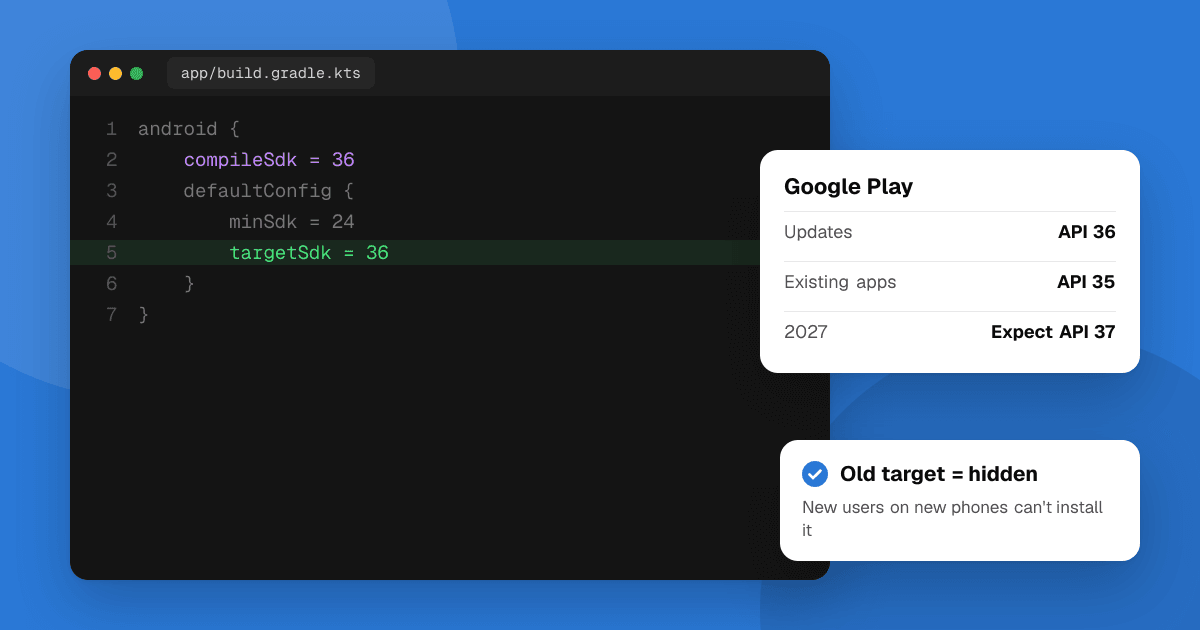
Short answer: since August 31, 2026, new apps and app updates on Google Play must target Android 16 (API level 36) or higher. Wear OS and Android Automotive OS apps need API 35, and Android TV and Android XR apps need API 34. Existing apps that you don't update must target at least API 35 to stay available to new users on newer Android versions. The optional extension ran to November 1, 2026, so if Play Console now blocks your update with "Your app must target Android 16 (API level 36) or higher", raising targetSdkVersion is the only fix. Google raises the bar every year, so plan for API 37 around August 2027.
This guide follows Google's target API level requirements as of November 2026.
What are the current target API level requirements?
| App type | New apps and updates must target |
|---|---|
| Phone and tablet apps | Android 16 (API level 36) |
| Wear OS and Android Automotive OS | Android 15 (API level 35) |
| Android TV and Android XR | Android 14 (API level 34) |
Permanently private apps distributed only inside one organization are exempt.
What happens to existing apps that I don't update?
They aren't removed. But if a phone or tablet app targets API 34 or lower, Google Play only shows it to new users on devices running that Android version or older. In practice, new users on recent phones can't find or install it. People who already installed it keep it.
So an app you haven't touched in two years is quietly losing new users. Updating the target level brings it back.
How do I update my target API level?
- In your module's Gradle file, set
targetSdkVersion(andcompileSdkVersion) to 36. - Read the Android 16 behavior changes for apps that target it, plus every version between your old target and 36 (Android 13, 14 and 15 each changed permissions, notifications or foreground services).
- Update your libraries and SDKs to versions that support API 36. Ads, billing and analytics SDKs are the usual blockers.
- Test the core flows: permission prompts and denials, notifications, background work, sharing files and deep links.
- Release through a testing track first, then roll out to production gradually (shipping updates safely).
Using Flutter, React Native, Unity or another framework? Update to a version that supports API 36 first; it usually sets the target for you and handles many behavior changes.
Why does Google require a recent target API level?
Many security and privacy improvements only apply to apps that declare they target the new version. Requiring a recent target means users get those protections, such as tighter background limits and permission changes, in the apps they install.
What should I expect in 2027?
Google hasn't published the 2027 requirement as of November 2026. It has raised the level every year since 2018, usually with an August deadline, so plan for:
- API 37 for new apps and updates, most likely due around August 2027.
- API 36 as the bar for existing apps to stay visible to new users on newer devices.
Watch Google's page and Play Console's inbox in spring 2027, and budget a release for it. Two other Google Play deadlines land earlier: the 16 KB page size requirement and the trader status declaration, both on February 1, 2027. Before those, the location permission policy becomes mandatory on January 27, 2027, and targeting API 37 means using the new location button for one-time location.
Next steps
Open Play Console's Policy status page for each app to see what it flags today. If you're updating anyway, use the release to fix all three requirements at once. When the new version is live, list your app on TrueLaunch for free to get it tested by other developers.
Frequently asked questions
What target API level does Google Play require in 2026?
Since August 31, 2026, new apps and app updates must target Android 16 (API level 36) or higher. Wear OS and Android Automotive OS apps need API 35, and Android TV and Android XR apps need API 34.
What happens if my existing app targets an old API level?
It stays on Google Play for people who already have it, but if it targets API 34 or lower, new users on devices running a newer Android version can't find or install it.
Can I still get an extension for API level 36?
The extension Google offered ran to November 1, 2026. After that, the only way to publish an update is to target API level 36 or higher.
What will the target API level be in 2027?
Google hadn't announced it as of November 2026. It raises the level every year, usually with an August deadline, so expect Android 17 (API level 37) for new apps and updates in 2027.