Google Play foreground service permissions declaration: types, video and how to pass
Play Console says your app uses foreground service permissions? Which FGS types need a declaration, what to write, what the video must show and when to drop the FGS.
· 11 मिनट में पढ़ें
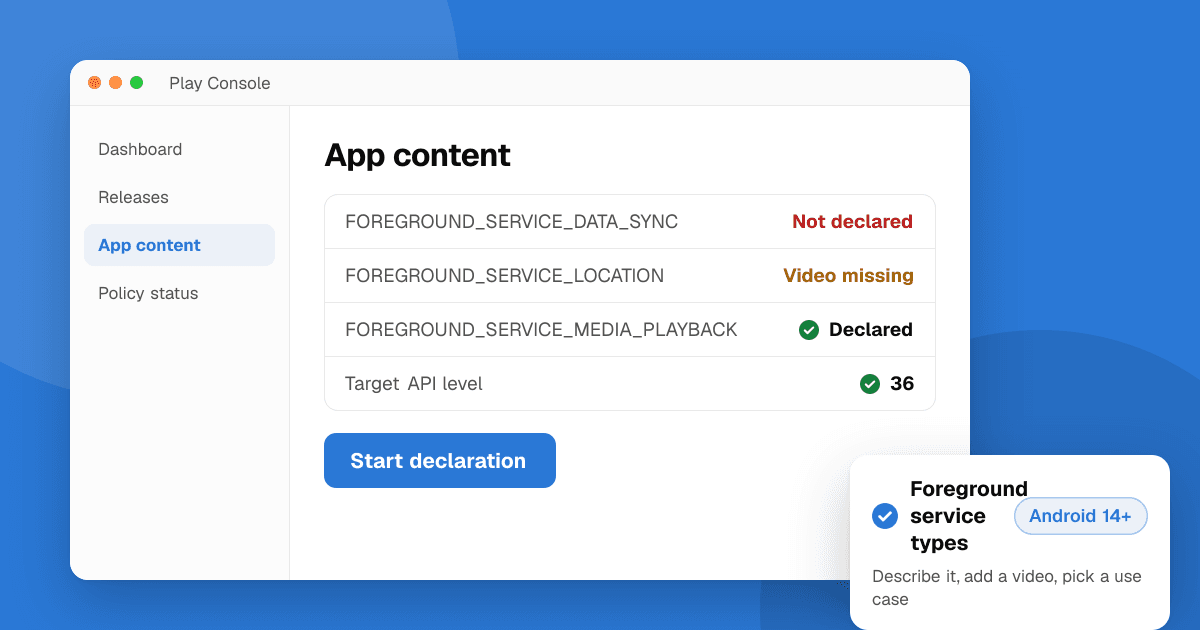
Short answer: if your app targets Android 14 (API level 34) or higher and runs a foreground service, you must declare a foreground service type for each service in your manifest, add the matching FOREGROUND_SERVICE_<TYPE> permission, and fill in a foreground service declaration in Play Console under Monitor and improve → App content. For each type, Google asks for a description of the feature, the user impact if the system defers or interrupts the task, a link to a video showing how the user triggers it, and a use case. Since every update must now target API 36, any app that uses foreground services has to do this before it can ship. If the work doesn't have to start immediately or isn't started by the user, the better fix is to drop the foreground service and use WorkManager or a user-initiated data transfer job.
This guide follows Google's Understanding foreground service and full-screen intent requirements help page, the Permissions for Foreground Services policy and the Android foreground service types docs, as of November 2026.
What does "Your app uses the following undeclared foreground service permissions" mean?
Developers report two versions of this message. In Play Console, when you create a release:
Your app uses the following undeclared foreground service permissions
followed by a list such as FOREGROUND_SERVICE_DATA_SYNC or FOREGROUND_SERVICE_LOCATION. When you upload through the Play Developer API (Fastlane, Codemagic, Bitrise, FlutterFlow and similar tools), the upload fails with a 403 error:
You must let us know whether your app uses any Foreground Service permissions.
Both mean the same thing: your app bundle declares one or more foreground service permissions, and the matching declaration in App content is missing or out of date. The fix is to complete the declaration in Play Console once, by hand. Automated uploads can't fill it in for you, so they keep failing until you do.
Which apps need a foreground service declaration?
Google's help page is direct about it: "When your apps target Android 14 and above, you'll need to declare any foreground service types that you use in a new declaration on the App content page (Monitor and improve > App content) in Play Console."
Because Google Play now requires updates to target Android 16 (API level 36), in practice that means every app on Google Play that uses a foreground service and still ships updates.
Watch out for permissions you never added yourself. SDKs for maps, location tracking, music players, downloads, calls and fitness often merge FOREGROUND_SERVICE_* permissions into your manifest. Open AndroidManifest.xml in Android Studio, switch to the Merged Manifest tab and look for every FOREGROUND_SERVICE_ entry before you start the form.
What does Android 14 require in the manifest?
From Android 14, the Android docs say "you must declare an appropriate service type for each foreground service. That means you must declare the service type in your app manifest, and also request the appropriate foreground service permission for that type (in addition to requesting the FOREGROUND_SERVICE permission)."
A data sync service that uploads a file the user picked looks like this:
<manifest xmlns:android="http://schemas.android.com/apk/res/android">
    <uses-permission android:name="android.permission.FOREGROUND_SERVICE" />
    <uses-permission android:name="android.permission.FOREGROUND_SERVICE_DATA_SYNC" />

    <application>
        <service
            android:name=".UploadService"
            android:foregroundServiceType="dataSync"
            android:exported="false" />
    </application>
</manifest>
If a service needs more than one type, separate them with |, for example android:foregroundServiceType="camera|microphone", and add both permissions. According to Google's Android 14 changes page, calling startForeground() without a declared type throws MissingForegroundServiceTypeException, and without the type's permission it throws SecurityException. These FOREGROUND_SERVICE_<TYPE> permissions are normal permissions: they're granted at install and users can't revoke them. Some types also need a runtime permission, such as ACCESS_FINE_LOCATION or ACCESS_COARSE_LOCATION for location.
Which foreground service types are there, and what are they for?
This table combines the Android type list with the use cases and video rules on Google Play's help page.
| Type (manifest value) | Permission | Example use | What the video must show |
|---|---|---|---|
camera |
FOREGROUND_SERVICE_CAMERA |
Video chat that keeps the camera on while multitasking | The user starting a capture or video stream |
connectedDevice |
FOREGROUND_SERVICE_CONNECTED_DEVICE |
Wearable, headset, baby monitor or car connected over Bluetooth, NFC, USB or network | Pairing and connecting inside the app, not in system settings |
dataSync |
FOREGROUND_SERVICE_DATA_SYNC |
Backing up a photo the user picked, upload, download, import or export, encrypting or resizing a file | A user action that starts the task, never an automatic background backup |
health |
FOREGROUND_SERVICE_HEALTH |
Step counter or workout tracker in a fitness app | The user starting a sync or recording a workout |
location |
FOREGROUND_SERVICE_LOCATION |
Turn-by-turn navigation, ride tracking, sharing your location with friends | The user starting navigation, tracking or sharing |
mediaPlayback |
FOREGROUND_SERVICE_MEDIA_PLAYBACK |
Music, podcasts or video that keeps playing in the background | The user starting playback (a game's background soundtrack doesn't qualify) |
mediaProjection |
FOREGROUND_SERVICE_MEDIA_PROJECTION |
Screen recording or casting the screen with the MediaProjection API | The user starting the capture, recording or stream |
mediaProcessing |
FOREGROUND_SERVICE_MEDIA_PROCESSING |
Converting a video or audio file to another format | The user starting the conversion |
microphone |
FOREGROUND_SERVICE_MICROPHONE |
Voice recorder, voice commands, calls | The user starting a recording or voice command |
phoneCall |
FOREGROUND_SERVICE_PHONE_CALL |
An ongoing cellular or VoIP call | An active voice or video call on screen |
remoteMessaging |
FOREGROUND_SERVICE_REMOTE_MESSAGING |
Sending texts from a web client paired with the phone | The user starting the message sync or transfer |
specialUse |
FOREGROUND_SERVICE_SPECIAL_USE |
Valid use cases that fit no other type | Your feature, plus a written reason in the manifest |
shortService |
None (only FOREGROUND_SERVICE) |
Critical work that finishes in about 3 minutes | Exempt from the policy criteria |
systemExempted |
FOREGROUND_SERVICE_SYSTEM_EXEMPTED |
Reserved for system, VPN, device admin, alarm and similar apps | Exempt from the policy criteria |
Google calls its list "non-exhaustive": if your use case isn't in the preset list, you can type it in yourself. For specialUse, the Android docs also ask you to explain the use case in the manifest with a <property android:name="android.app.PROPERTY_SPECIAL_USE_FGS_SUBTYPE" android:value="..."/> element inside the <service>, because reviewers read it. Google adds: "All foreground service types are subject to review."
Is my use case allowed at all?
Before you write the declaration, check that your feature passes the policy. Apps may only declare a foreground service permission if the use:
- "provides a feature that is beneficial to the user and relevant to the core functionality of the app"
- "is initiated by the user or is user perceptible" (for example a song playing or a clear notification)
- "can be terminated or stopped by the user"
- "can't be interrupted or deferred by the system without causing a negative user experience"
- "runs only for as long as necessary to complete the task"
The policy exempts the systemExempted and shortService types, and dataSync "only when using Play Asset Delivery features". Google also says: "Don't use FGS if system management of your task doesn't break the user experience in your app. Consider alternatives like WorkManager."
The usual reason a declaration is rejected is that the work isn't really user-started: periodic syncs, analytics uploads, ad prefetching, "keep the app alive" services or a game's background music. No wording in the form will get those approved.
How do I fill in the foreground service declaration in Play Console?
- Find every type you use. Check the merged manifest for
FOREGROUND_SERVICE_*permissions andforegroundServiceTypevalues, including ones added by SDKs. - Remove what you don't need. If an SDK adds a type for a feature you don't use, update the SDK or remove the permission with
tools:node="remove", then test that nothing breaks. - Open the declaration. In Play Console, go to Monitor and improve → App content (some menus show it as Policy → App content) and open the foreground service permissions declaration.
- For each type, answer Google's four items:
- "Provide a description of the app functionality that is using each foreground service type." Name the feature and the screen it starts from, for example: "When the user taps Back up now on the Backup screen, the app uploads the selected photos to their cloud account and shows progress in a notification."
- "Describe the user impact" if the task is "deferred by the system (does not start immediately)" and/or "interrupted by the system (paused and/or restarted)". Be concrete: "The upload stops halfway, the user's backup is incomplete and they have to start again."
- "Include a link to a video demonstrating each foreground service feature." See the next section.
- "Choose your specific use case for each foreground service type" from the preset list, or enter it manually.
- Save, then send your release. If your API uploads were failing, try the upload again once the form is saved; if it still fails, create the release in Play Console by hand.
Keep the declaration in sync with your app. If a later version adds a new type, the declaration has to cover it too.
What should the foreground service video show?
Google's rule: "The video should demonstrate the steps the user needs to take in your app in order to trigger the feature." A video that gets through review usually:
- Starts on the app's home screen and shows each tap up to the feature, recorded on a real device or emulator.
- Shows the user starting the task (tapping Record, Start navigation, Download, Play), because nearly every row in Google's table asks for user-initiated action.
- Shows the foreground service notification appearing, then the app going to the background while the task keeps running.
- Uses the in-app flow, not system settings. For
connectedDevice, Google says "The video must show the in-app setup and subsequent device interaction, not system settings." - Covers each type separately if you declare several, or clearly shows each one in turn.
- Is short and silent-friendly: 30 to 90 seconds, with on-screen captions if the steps aren't obvious.
Upload it somewhere a reviewer can open without signing in, such as an unlisted YouTube video, and keep it online after approval. If your app needs a login, describe test credentials in App access so reviewers can reach the feature.
Should I use a foreground service, WorkManager or a user-initiated data transfer job?
For dataSync, Google points you to alternatives first. On the Play help page: "If your use case is for transferring data over a network (such as Wi-Fi, mobile, or Bluetooth) in response to an explicit user request, we recommend using the user-initiated data transfer job instead of the dataSync foreground service type."
The Android data transfer options guide sums it up:
| Option | When to use it | Example |
|---|---|---|
| WorkManager | Work that can wait or run on a schedule, started by the app rather than the user | Periodic sync with a server |
| User-initiated data transfer job | A network transfer the user started and wants to watch | Uploading a photo, downloading a file |
| Foreground service | Short, critical tasks, or when WorkManager isn't an option | connectedDevice sync, shortService file processing, mediaProcessing encoding |
| A specific API | When one exists for the job | Companion device manager for a paired device |
There's also a runtime reason to move off dataSync. For apps that target Android 15 or higher, the timeout rules let dataSync and mediaProcessing services run for "a total of 6 hours in a 24-hour period" in the background, and apps targeting Android 15 can't start a dataSync service from a BOOT_COMPLETED receiver.
What changes for geofencing foreground services in January 2027?
Google's policy preview from the April 2026 policy updates says: "We're removing geofencing as an approved foreground services use case. Developers can instead use the Geofence API for this use case." It's effective January 27, 2027.
If your location foreground service only watches for the user entering or leaving an area, move it to the Geofence API before then. Navigation, ride tracking and live location sharing remain listed use cases. The same date brings the new precise location rules, covered in our location permission policy guide.
What about the full-screen intent declaration on the same page?
It's a separate declaration for the USE_FULL_SCREEN_INTENT permission. Google says that "Starting January 22, 2025, for apps targeting Android 14+, only apps that have calling or alarm functionalities will have this permission enabled by default." Other apps must ask the user for permission and handle a refusal gracefully. If you don't show full-screen notifications for calls or alarms, you can usually remove the permission.
Next steps
Check your merged manifest today, remove the foreground service types you don't need, move schedulable work to WorkManager, and record one short video per remaining type before you fill in App content. Then send your release from Play Console. For every other deadline Google announced this autumn, read the October 2026 policy update, and if you're also rebuilding native code, the 16 KB page size requirement.
Once your update is live, list your app on TrueLaunch for free to get it in front of developers and early users who leave honest feedback.
Related: what is Google Play Console and how to ship app updates safely.
Frequently asked questions
Which apps need the Google Play foreground service permissions declaration?
Every app that targets Android 14 (API level 34) or higher and uses a foreground service. You declare each foreground service type in Play Console under Monitor and improve, App content. Because updates must now target API 36, this covers every app that uses foreground services and still ships updates.
What does Play Console ask for in the foreground service declaration?
For each foreground service type: a description of the feature that uses it, the user impact if the system defers or interrupts the task, a link to a video showing the steps a user takes in your app to trigger the feature, and a use case from a preset list (or one you type in).
Why does my upload fail with "You must let us know whether your app uses any Foreground Service permissions"?
Your app bundle includes foreground service permissions but the App content declaration is missing or incomplete. Fill it in by hand in Play Console and create the release there; upload tools that use the Play Developer API can't complete the form for you.
Do I need a foreground service for background uploads?
Often not. Google recommends a user-initiated data transfer job for network transfers the user starts, and WorkManager for work that can be deferred or scheduled. A dataSync foreground service should only be used for user-started tasks that can't be deferred or interrupted.
Can I still use a foreground service for geofencing?
Only until January 27, 2027. Google's April 2026 policy update removes geofencing as an approved foreground service use case from that date and points developers to the Geofence API instead.
